10 SaaS Business Ideas Worth Building in 2026
Explore 10 proven SaaS business ideas with target niches, revenue models, MVP scopes, and practical validation tips to launch fast.
Most SaaS ideas fail before the product is finished: the founder builds without confirming that a real buyer will pay. Poor product-market fit is one of the most common reasons startups fail. That's why these SaaS business ideas are framed as validation problems, not just product concepts.
Each idea pairs a niche to enter, a small MVP to test, a potential revenue model, and a practical way to reach early buyers. The goal is to put a specific offer in front of people who already feel the problem, then learn from their response before building a full platform.
Competition is real, and a list of software as a service startup ideas cannot confirm demand. For each idea, check that buyers want software rather than a service or one-time tool, and that they will accept recurring billing. Choose one, then outline a 14-day test before writing production code.
1. Customer Feedback and Feature Request Management
Product teams collect feedback everywhere: support tickets, sales calls, email, and public communities. A focused feedback platform brings those requests into one backlog, lets customers vote or comment, and shows what the team plans to do. The product isn't just a voting board. It's a way to turn scattered requests into decisions users can understand.
The broad category has established competitors such as Canny, Productboard, and UserVoice. A new product needs a tighter wedge, such as feedback management for developer tools that connects requests to GitHub issues, or for mobile apps that lets teams close the loop through in-app updates. Product teams need to make roadmap calls even without a new platform, so test whether they'll pay for less manual sorting or better customer communication.
Start with one feedback loop
For the MVP, let a team collect requests, merge duplicates, set a status, and notify a user when that status changes. Don't start with complex scoring, a full product roadmap, or integrations with every support system. A useful first test is a concierge version: manually import requests from a prospective customer's existing channels and show how you'd organize them.
Practical rule: A public board only helps if the team keeps it current. Make status updates and changelog notifications part of the core workflow.
Sell a monthly subscription to product teams, with pricing based on team size or feedback volume. For outreach, contact product managers at one narrow type of company and ask to review how they currently handle requests. Use customer discovery interviews to test the problem before pitching your solution. Then offer a paid pilot that organizes real requests. If the buyer won't share an existing backlog or commit to trying the workflow, enthusiasm alone isn't validation.
2. Invoicing and Billing for Freelancers and Small Businesses

A freelancer needs to send a clear invoice, get paid, and know which clients still owe money. That's a specific job, but broad accounting platforms often ask a solo operator to set up more than they need. A niche product can win by fitting one profession's actual billing habits, such as deposits for photographers or milestone invoices for independent designers.
FreshBooks, Wave, and Bonsai show how established products combine invoicing with adjacent tools such as accounting, proposals, or contracts. Don't try to recreate all of them. Start with a clean invoice, payment links through a payment processor, due-date reminders, and a simple paid-or-unpaid view. A sample workflow might let a consultant turn a completed project milestone into an invoice and a polite reminder without reopening a spreadsheet.
Validate the money workflow
Interview a narrow group of service providers and ask them to walk through their last invoice from draft to payment. Look for repeated manual steps, confusion over what to bill, or reminders they routinely forget. Then build a prototype using one profession's language and templates. Test whether people will pay for that workflow, not whether they say a nicer invoice would be useful.
A free tier with a limit on invoice volume can help users try the product, while paid plans can add recurring billing, time tracking, or client records. The trade-off is that free users can be expensive to support, and payment features introduce operational complexity. Use a payment processor rather than building payment handling yourself, and keep accounting claims within what your product can reliably support.
3. Appointment Scheduling Software
A scheduling link seems simple until the booking needs a specific intake form, buffer time, payment, or follow-up. Calendly, Acuity Scheduling, and SavvyCal all address parts of this job. A new entrant shouldn't compete by copying a general booking page. It should make one kind of appointment easier to book and manage.
For example, a tutor may need to offer recurring lessons and collect a student's goals before the first session. A therapist may need a private intake flow and clear rules for cancellations. The MVP can focus on availability, calendar sync, booking confirmation, and one essential vertical-specific form. Don't start by supporting every calendar provider, payment arrangement, and team configuration.
Make the guest experience the product
The person booking the appointment often decides whether the link feels easy enough to use. Test the flow on a phone, remove unnecessary questions, and make time zones and confirmation details clear. The host needs reliable calendar sync, but the invitee shouldn't have to create an account just to choose a time.
Charge by provider, location, or the workflows included in the plan. A free or low-friction entry point may bring users in, but it won't help if the product doesn't fit their daily scheduling habits. Recruit a few providers in one niche and manually help them configure their booking pages. Ask them to send the link to real clients, then watch where bookings stall.
“If the host likes the setup but invitees don't finish booking, you haven't solved the scheduling problem.”
Prioritize integrations only after you know which tools the target customers use. Video meeting and CRM connections can help, but building integrations before confirming demand can turn a small product into a maintenance project.
4. Email Marketing Platform for Creators
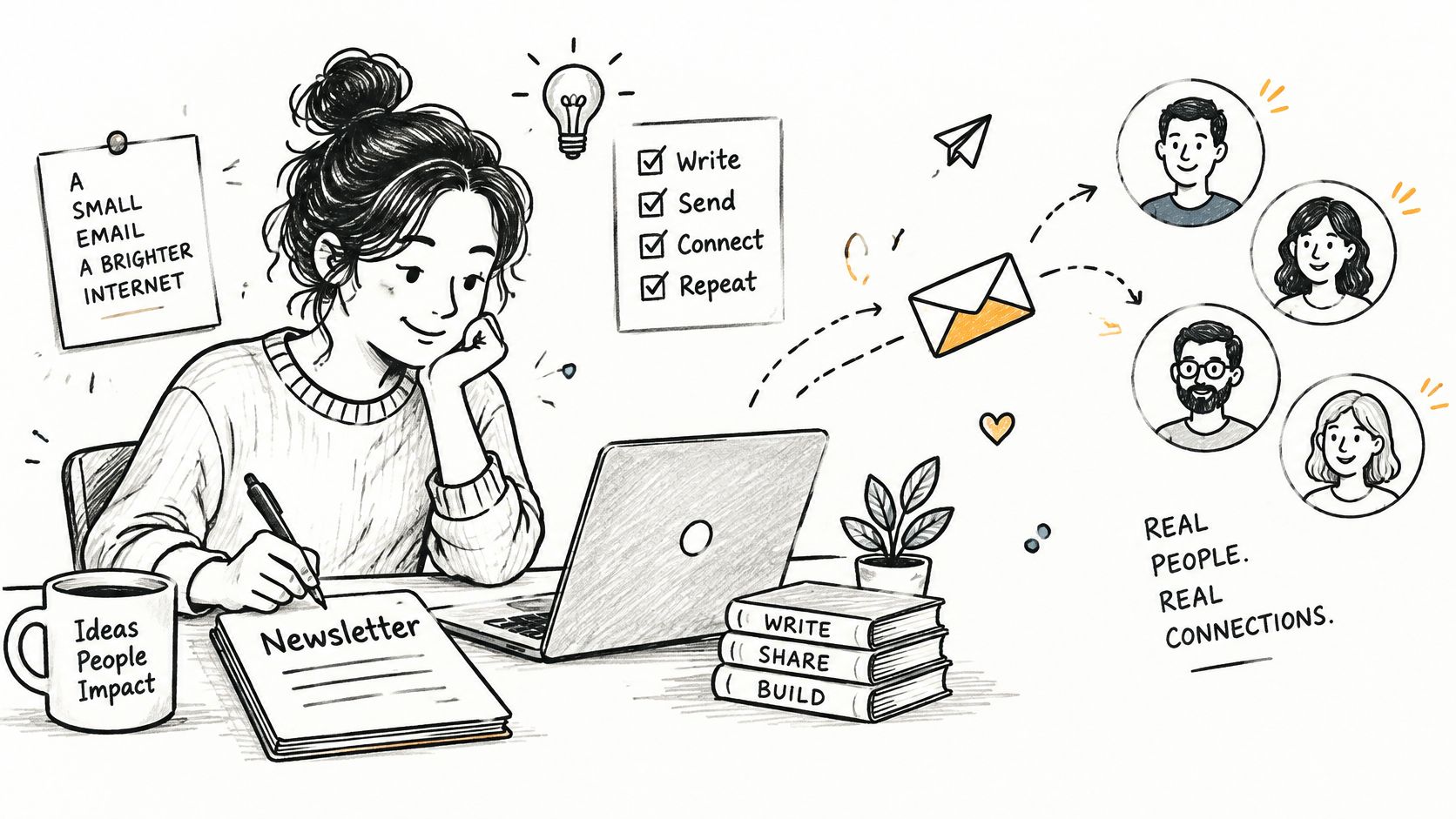
Creators often build an audience on platforms they don't control, then look for a direct way to reach readers and earn revenue. A newsletter product can combine signup pages, email delivery, audience management, and paid offers. The hard part isn't sending a newsletter. It's helping a specific creator type grow and make the tool worth paying for.
Kit, beehiiv, and Substack already serve creators with overlapping publishing and monetization features. A new product should start narrower, perhaps with email and paid downloads for independent food writers, or newsletter automation for local business educators. Pick a group whose publishing routine you can describe in detail. Generic “email marketing for everyone” positioning gives potential buyers no reason to switch.
Test whether monetization matters
Build the smallest workflow that helps a creator collect subscribers, send a newsletter, and sell one paid product or subscription. Before writing a campaign editor from scratch, test a landing page and manual onboarding with a small group of creators. Find out how they currently collect email addresses, manage subscribers, and handle payments. A creator who praises the idea but won't invite readers into a test isn't showing buying intent.
The business model can combine a subscription with a fee or paid features tied to monetization. Keep deliverability, consent, and list management in view from the start. Selling to creators means the product has to work reliably on launch day, not just look good in a demo.
For acquisition, publish a useful guide or template for the niche, then invite readers to a product walkthrough. Offer a migration or setup session to learn what stops creators from switching. If you need a practical primer before building a launch campaign, use this guide to startup email marketing. Case studies can later help convert prospects, but only when they describe genuine customer outcomes.
5. Social Media Scheduling and Management
Small marketing teams don't need another dashboard full of charts if they still have to copy and paste every post by hand. A social scheduling product helps users plan content, publish across selected platforms, and understand what performed. Buffer, Hootsuite, and Later are familiar options, so a startup needs a reason to focus on a specific audience or channel.
Start with one painful workflow: for example, a tool for independent fitness studios that reuses class announcements across Instagram and TikTok, or one for agencies that needs client approval before publishing. The MVP should support a content calendar, draft review, scheduling, and basic reporting for the chosen channel. Avoid promising broad analytics until you know what decisions the customer wants to make with them.
Validate access before building the calendar
Social platforms control what third-party tools can publish and retrieve. That makes API access and policy changes part of the product risk, not an implementation detail to handle later. Test the exact publishing workflow with the relevant platform before investing in a polished calendar. A tool that can only remind users to post may still be useful, but it's a different offer from automated publishing.
Charge by the number of accounts, channels, or team members. A free tier can help users try the workflow, though it should lead naturally to paid value such as client approvals or reporting. Recruit marketers in one niche and ask them to bring a real week of content into a prototype. If they won't connect an account, share a draft, or use the workflow with a client, investigate the objection before adding features.
For market discovery, compare the capabilities and limitations of API-based social media schedulers. That can sharpen your wedge, but don't treat a competitor comparison as proof that buyers will switch.
6. Customer Support Helpdesk
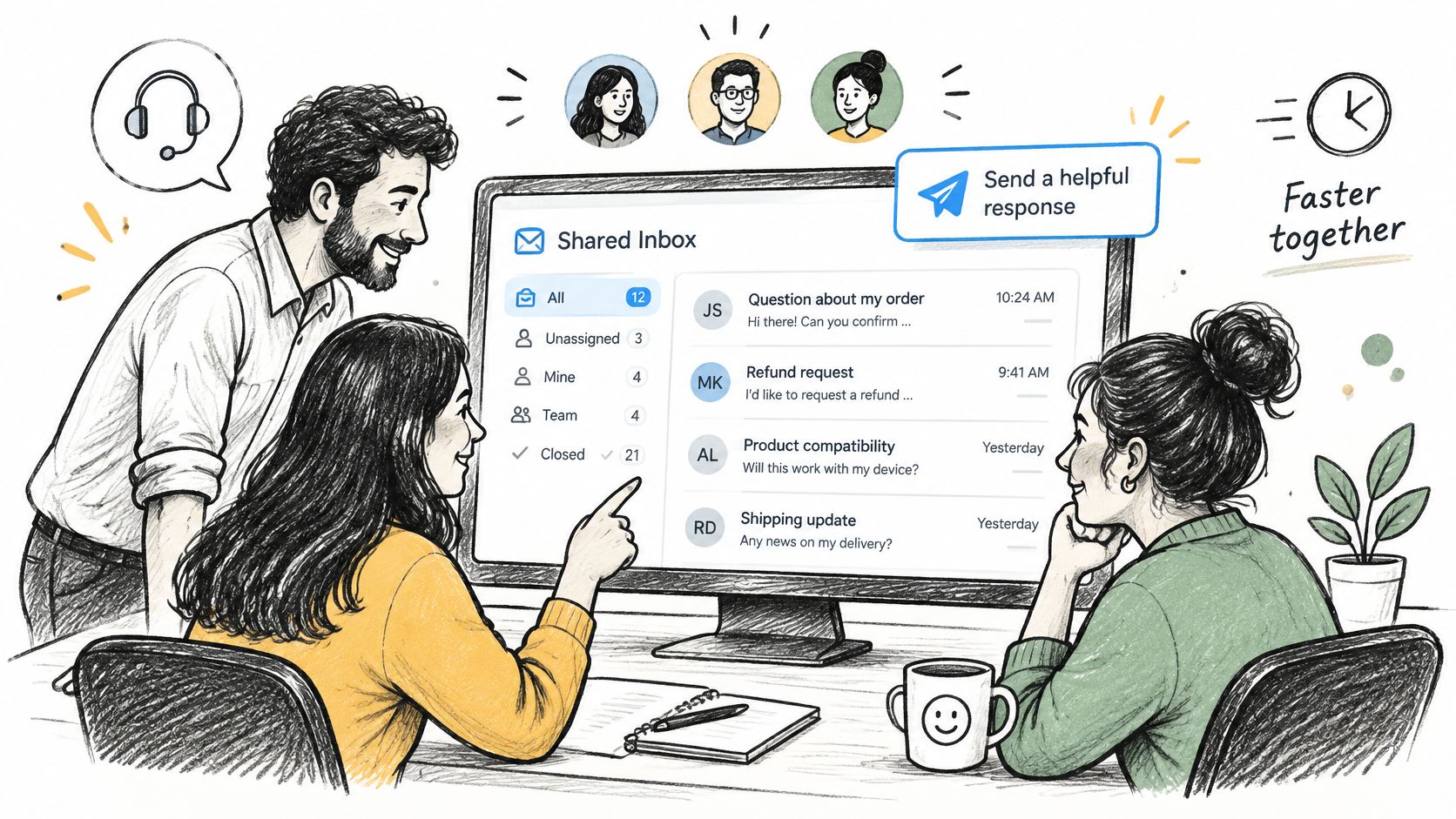
A shared inbox is valuable when customers expect a quick, consistent answer and several people need to help. A helpdesk can collect email, chat, and social messages in one queue, assign ownership, and keep a record of what the team told each customer. Zendesk, Help Scout, and Intercom serve different needs, so competing head-on with a general platform is a difficult entry point.
Choose a segment with a distinct support workflow, such as ecommerce teams handling shipping and returns or early-stage SaaS companies answering setup questions. The MVP can include a shared inbox, assignment, saved replies, and a short knowledge base. Build automation only around questions that the customer can answer safely and reliably.
Sell faster resolution, not more automation
A small team may not have time to configure rules, tags, and reporting before it sees value. Make setup fast: connect one inbox, import a few saved replies, and help the team route its first conversations. In a scenario where a shop gets repeat questions about delivery, a saved response plus an order-status link may be more useful than a complex AI agent.
Subscription pricing can reflect seats, message volume, or advanced workflow features. AI-generated answers may help with common questions, but they can also create wrong answers that frustrate customers. Start with drafts grounded in the company's own help content and keep a human in control. Measure whether agents use the suggestions and whether the product makes it easier to resolve conversations.
Find early buyers by contacting support leads in one target segment. Ask them to show how they handle a recent difficult ticket, then offer a paid pilot that fixes one visible bottleneck. If setup takes a long consulting engagement, your initial product may be too broad or too dependent on custom configuration.
7. Social Listening and Community Monitoring
A customer may describe a frustrating problem on Reddit, a review site, or a public forum long before they contact a vendor. A social listening tool tracks those mentions and turns them into alerts a business can act on. Brand24, Mention, and Awario cover broad monitoring use cases. A smaller product can focus on a specific signal, such as developers asking for alternatives to a competitor or founders describing the same workflow pain.
The trap is collecting more mentions than a small team can review. Raw volume isn't useful if the results are noisy, duplicated, or too late to matter. Build around a clear question: Which conversations should trigger a response, and who should receive it? A simple first version can monitor selected public sources for chosen phrases and send a short digest with links and context.
Prove the signal is actionable
For a niche MVP, let users save searches, filter irrelevant results, and mark mentions as useful or not. Manually review results with early customers before spending time on sentiment scoring. A founder looking for demand signals may value a handful of relevant posts with clear context more than a large feed of weak matches.
Charge for monitored topics, sources, or team workflows, but confirm the data access is permitted before promising coverage. Platform rules and access can change, and the product's reliability depends on what it can collect lawfully and consistently. Start with sources and terms you can support, then explain gaps clearly.
Recruit founders in one category and ask them to bring examples of public discussions they wish they'd found earlier. Test whether they'd pay for timely alerts or would rather search manually. If your acquisition relies on explaining the product, share a useful example of how a public complaint signals a buying need, then invite readers to try a targeted search. Online communities for market research can help identify where to look, but the product must make those signals easier to use.
8. Website and Uptime Monitoring
A site can be technically reachable while a key checkout flow, API endpoint, or page is failing. Uptime monitoring checks whether services respond and alerts an owner when they don't. UptimeRobot, Pingdom, and Better Stack are established examples. A focused entrant might serve indie developers who want a simple status page, or no-code builders who need to monitor a set of customer sites without configuring a large operations platform.
Keep the first version narrow: check a URL or API endpoint, notify the owner when it fails, and show a basic incident history. Test the alert path, not just the check. A monitor that detects an outage but sends an ignored email hasn't helped the customer. Try email and one channel the target users already watch, then learn which notifications they trust.
Make recovery part of the offer
A status page can help customers understand an incident, while a short incident update can reduce repeated questions. But don't promise advanced performance analysis if the initial product only checks whether a page responds. Explain what the monitor tests and how often it checks in plain language.
A free plan can attract individual developers, with paid plans for more monitored services, team access, or custom status pages. That can also create a cost trade-off: frequent checks and notifications require infrastructure and careful alert design. Avoid a free tier that consumes more resources than it can reasonably support.
Find a narrow audience and offer to configure monitoring for one real service. Ask users what they would do when an alert arrives, and whether the information lets them act. For a competitive scan, tools for uptime checks provide a starting point. Use that comparison to find what customers still have to do manually, then test a paid offer around that gap.
9. Competitor Intelligence and Website Change Tracking
Pricing pages, product announcements, and hiring pages can reveal how competitors are positioning themselves. A change-tracking product watches selected pages and alerts a team when something important changes. Crayon and Klue offer competitive intelligence and enablement features, while Visualping focuses on webpage changes. A focused startup can begin with one high-value use case rather than trying to create a complete market-intelligence suite.
For example, a small sales team might want to know when a competitor changes its pricing or publishes a new integration page. The MVP can let a user save pages, detect visible changes, and receive a concise alert or digest. The summary needs to show what changed, not just announce that a page was different. Don't build elaborate AI analysis before you know which changes users act on.
Keep alerts useful and responsible
Alert fatigue is an easy way to lose customers. Let users choose important pages, review a clear change history, and receive a digest instead of a stream of low-value notifications. Start with pricing pages in one industry, where a buyer can explain why those updates matter to their sales or marketing work.
Charge for the number of tracked pages, users, or reporting features. The value depends on dependable monitoring, but automated collection also has boundaries. Respect website terms and technical access rules, and don't encourage customers to use the product in ways that violate them.
To find early buyers, contact sales enablement or marketing teams in the chosen niche and offer to monitor a small set of competitor pages for a paid pilot. Ask which changes they need to communicate internally and what they do today when a competitor moves. If nobody can name a decision that would change after receiving an alert, the tool is collecting information without solving a business problem.
10. Online Form and Survey Builder
Typeform, Tally, and Jotform show how many jobs a form builder can serve, from lead capture to surveys and onboarding. That breadth makes the general category crowded. A new product can enter through a template that solves one recurring task well, such as customer interviews for SaaS founders or registration and follow-up for a particular kind of event.
The MVP needs a form editor, a shareable page, response storage, and a practical way to send responses into the tools users already use. Don't start with an advanced analytics suite. In a customer interview workflow, for instance, the user may care more about capturing consent, scheduling a follow-up, and exporting notes than about a complex chart of answers.
Sell the job, not the form field
Templates can make the first form faster to create, but a template alone is easy to copy. Pair it with a workflow: preconfigured questions, routing, reminders, and an integration that saves the response where the user needs it. A free tier can encourage trials, with branding removal or advanced workflow features as paid upgrades.
Validate one job by helping prospective customers move a real process into your form. Watch whether they share it and use the responses, not just whether they like the design. Test integration demand early, because a form that collects data but leaves users copying it by hand may not replace their current setup.
Ask a narrow group of buyers to try a prototype on an upcoming task. The product earns a subscription only if the workflow recurs; one-time event organizers may need a different offer from teams that collect leads or feedback continuously. The video below introduces the form-building workflow and can help you identify which parts of the experience deserve a closer look.
10 SaaS Business Ideas at a Glance
| Best For | Revenue Model | Market Difficulty | Go-to-Market Loop |
|---|---|---|---|
| SaaS product teams organizing and prioritizing customer feedback | SaaS subscriptions, often tiered by team size or features | High: crowded market and feature parity pressure | Users vote and follow requests; shipped updates bring them back and encourage sharing |
| Freelancers and small businesses managing invoices and payments | Subscriptions, with additional payment processing revenue | High: free alternatives, compliance needs, and thin payment margins | Free invoice usage attracts clients and referrals; growing businesses upgrade |
| Teams and professionals coordinating appointments | Freemium subscriptions, with paid team features and booking payments | High: commoditized features and bundled competitors | Booking links expose invitees to the product, who may adopt it themselves |
| Independent creators building and monetizing an audience | Subscriptions, often tied to audience size or monetization features | High: established platforms and deliverability demands | Creator success stories and recommendations spread through creator communities |
| Marketers, businesses, and agencies managing social media | Tiered subscriptions, often based on accounts or team size | High: crowded market and reliance on changing platform APIs | Free-tier adoption and visible content workflows lead users and agencies to upgrade |
| Businesses that need shared customer support workflows | Per-seat and usage-based subscriptions | High: entrenched enterprise competitors and demanding reliability needs | Fast setup and team collaboration encourage broader adoption and seat expansion |
| Marketers and founders tracking brands, topics, and customer signals | Subscriptions tiered by monitored keywords, sources, or usage | High: platform access limits and alert noise challenge product value | Actionable mention alerts surface leads, building repeat use and referrals |
| Developers and small businesses monitoring websites, APIs, and uptime | Freemium subscriptions with paid monitoring and status-page features | Medium: simple product, but free alternatives and infrastructure demands | Free monitoring builds awareness; alerts and status pages support upgrades |
| B2B sales and marketing teams tracking competitor activity | B2B subscriptions, with potential enterprise contracts | High: feature-rich competitors and scraping constraints | Competitor alerts support sales conversations and encourage team-wide adoption |
| Businesses and researchers creating forms, surveys, and lead capture pages | Freemium subscriptions, with paid features and branding removal | High: crowded market, free alternatives, and easy switching | Shared forms spread awareness; response management and integrations drive upgrades |
Pick One Idea and Validate It Before You Build
Choose the idea that fits both your skills and your access to buyers. If you already know independent designers, start with their invoicing workflow rather than a helpdesk for a market you can't reach. If you work with product teams, test whether feedback management is a real buying problem. Familiarity helps you ask better questions, but it doesn't count as proof that customers will pay.
Write the problem in one sentence with a real buyer: “Independent designers need a faster way to invoice for project milestones without chasing clients manually.” If that sentence could describe almost anyone, sharpen the buyer or the job. Then put up a landing page that explains the specific outcome, shows the workflow, and lets a visitor pay through Stripe for a place on a paid waitlist.
Drive $50–$150 of paid traffic to the page and talk directly with the people who respond. Track whether they understand the offer, whether they have budget authority, and what they use now. A signup is weaker evidence than a payment. For a SaaS or digital product, our validation playbook uses 10 strangers paying anything inside 14 days as the signal to continue testing, not a guarantee that the finished product will succeed.
Don't treat the first payment as permission to build every feature. Ask buyers what they expect the product to do, confirm they want software rather than a service or one-time tool, and find out whether they'll tolerate recurring billing. If they pay for a manual version but resist a subscription, that changes the business model. If they want a service delivered for them, a SaaS interface may not be the right first product.
When sourcing ideas is the bottleneck, Find Startup Idea has an idea library with 1000+ concepts across AI, SaaS, dev tools, consumer, and crypto, sourced from real HN and Reddit pain points. Its six-step SaaS validation playbook is designed as a 14-day process based on real r/SaaS founders. Use ideas as starting points, then check the problem with buyers before you invest in code.
The best SaaS business ideas aren't proven by how polished a prototype looks or how many people say “I'd use that.” They're proven when strangers make a buying decision. Pick one problem, put a paid offer in front of the right people, and let the response shape what you build next.
Find Startup Idea curates startup opportunities sourced from real HN and Reddit pain points, including concepts across B2B SaaS, AI, and dev tools. Explore Find Startup Idea to find a focused starting point, then validate demand with real buyers before you build.